 IOTKAM
Charging
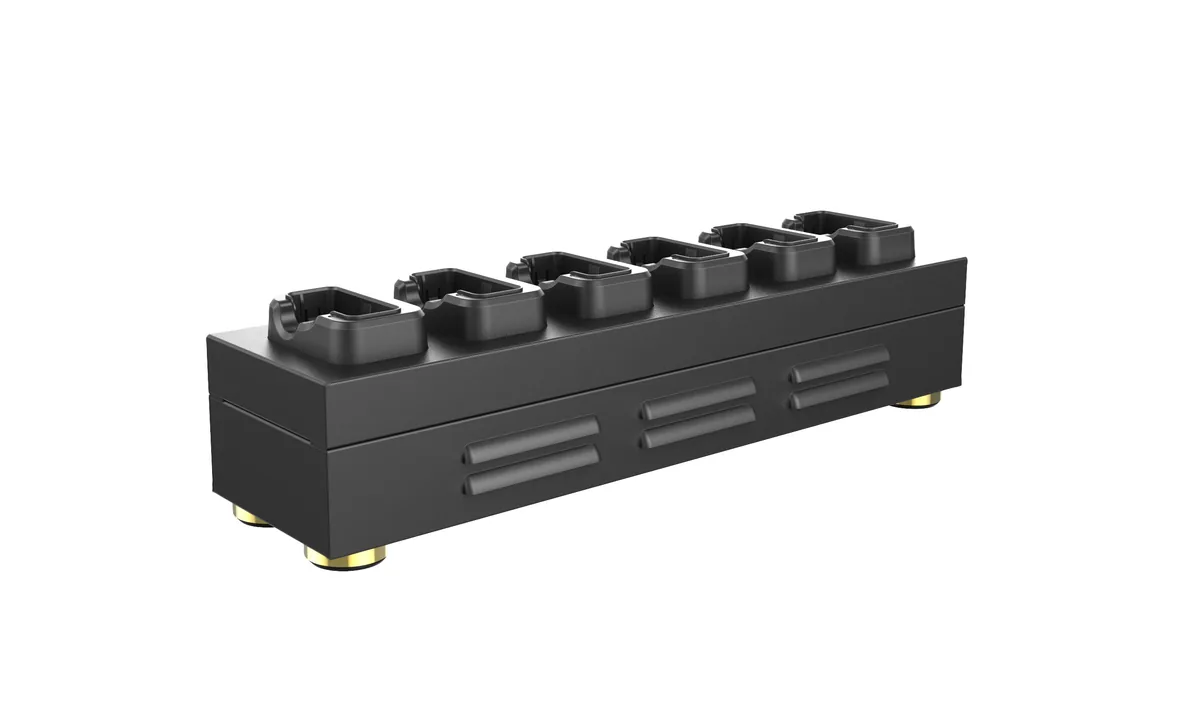
Every bay delivers up to 2A to the docked camera through its pogo-pin connector. Six cameras charge in parallel from a single 12V 9A supply.
Docking & data transfer
Six bays that charge IK-100 body worn cameras and put every docked camera on your network at the same time. Recordings upload automatically over FTP to your server, NAS or cloud storage — no card readers, no manual copying, no waiting for a free USB port.
Why the DS-UES-22
Capabilities
Every bay delivers up to 2A to the docked camera through its pogo-pin connector. Six cameras charge in parallel from a single 12V 9A supply.
USB-to-Ethernet conversion brings each docked camera online. The camera's built-in FTP client uploads on docking, on a schedule, or on demand.
The built-in switch bridges every bay onto your LAN, so docked cameras are reachable by IP — for uploads, configuration and diagnostics alike.
End-to-end path to the cloud: camera → station → FTP → Amazon S3 (via AWS Transfer Family) or any FTP-compatible cloud, server or NAS.
Workflow
The complete evidence path with no manual step — the officer's only job is putting the camera back on the dock.
Specifications
| General | |
|---|---|
| Product model | DS-UES-22 |
| Interfaces | 6 camera bays |
| Core functions | Charging · data upload · USB-to-Ethernet conversion · network switching |
| Weight | 2 kg (4.4 lb) |
| Dimensions | 445 × 117 × 91 mm (L × W × H) |
| Operating temperature | -10 °C to +50 °C |
| Charging | |
| Charging current | 2 A per bay |
| Power input | 12 V 9 A DC |
| Network & data | |
| WAN | 10/100/1000 Mbps Ethernet uplink |
| LAN | 10/100 Mbps per camera bay (USB-to-Ethernet) |
| Data transmission | Upload to cloud or local server via network; FTP protocol from camera firmware |
| Cloud targets | FTP-compatible targets — local FTP server, NAS, or cloud such as Amazon S3 via AWS Transfer Family |
| Compatibility | |
| Cameras | IK-100 body worn camera (pogo-pin dock connector) |
| Evidence software | Works alongside DEMS / DEMS PRO evidence management |
FAQ
The DS-UES-22 is designed for our IK-100 body worn camera, which docks via its pogo pin connector for both charging and data. Docked cameras are bridged onto your network through the station's built-in switch, and the same station family scales with our camera line.
The IK-100 firmware has a built-in FTP client. When the camera is docked — or whenever a network link is available — recorded files upload automatically to the configured FTP server. Uploads can also be triggered on a schedule or manually, and transfers support integrity verification and resume after interruption.
Yes. The station combines USB-to-Ethernet conversion with a built-in network switch, so each docked camera comes online as its own network device. Six cameras upload concurrently from one station, and multiple stations can coexist on the same network for larger fleets.
Uploads use the FTP protocol and can land on any FTP-compatible target — a private FTP server, a NAS, or a cloud gateway. Amazon S3 is reached through an FTP-compatible access point such as AWS Transfer Family, which delivers the files into your S3 bucket. All footage then sits in one central archive for review, chain of custody and long-term retention.
Yes. Charging and data transfer work simultaneously in every bay — each bay supplies up to 2A for charging while the camera uploads over its network link, so a fleet left overnight comes back charged with its evidence already on the server.
Request a quote
Send us the camera model, your fleet size and your destination country — we will come back with pricing, configuration options and shipping terms.